
Internet
Rust Skins as an Investment in 2026: My Take After Years of Trading Read More 8 October, 2026


In today’s world, staying close to loved ones across different time zones has grown more important than ever. Group video chatting has transformed from a basic office tool into a fun way to host virtual parties or casual hangouts.
Using modern platforms like Ome TV makes it easy to connect with anyone instantly. These digital tools help bridge the distance, making the world feel much smaller and friendlier.
This guide covers everything you need to master online gatherings and how you can enjoy the best experience possible with top apps.
Key Takeaways
- New technology allows these calls to feel more natural by fixing eye contact and improving sound quality considerably
- High-end AI now filters out sounds that disturb the call, making you sound like you’re in a professional studio
- Only share your screen when necessary, and ensure no sensitive tabs are open in the background
- Many apps now have built-in games like “Heads Up” or “Uno” to keep the energy high during long calls
Group video chatting has changed how we stay close to others. It is no longer just about sending text messages; we want to see real smiles and hear laughter clearly.
New technology allows these calls to feel more natural by fixing eye contact and improving sound quality considerably. Seeing a friend’s face in HD helps us feel connected, even if they are miles away from us.
Additionally, tools like Vidizzy are perfect for meeting new people through high-quality video, but having personal talks with friends requires different features. For your inner circle, you require a platform that is stable, private, and full of fun ways to interact.
Having a reliable way to meet online ensures that your most important relationships stay strong and personal in a busy digital world.
When selecting an app for your family or friend group, don’t just look for a “call” button. The best apps in 2026 offer a suite of tools designed for engagement:

Choosing the right tool depends on your group’s size and technical savvy. Here is how the leaders stack up:
| App | Best For | Max Participants | Key Strength |
| Families | 32 | End-to-end encryption & ease of use | |
| Zoom | Large Groups | 100+ | Unbeatable stability & recording |
| Discord | Gamers/Friends | 25 | Always-on “Drop-in” voice channels |
| Apple FaceTime | iPhone Users | 32 | Seamless integration with iOS/Mac |
| Google Meet | Professionals | 100 | Best AI live captions and translations |
If you are new to digital hangouts, starting your first video call is simpler than you think.
As video chatting becomes common, so do digital threats. Protect your private moments with these important tips:
Fun Fact
You can use virtual backgrounds to pretend you are all in the same location, such as a beach or a famous landmark.
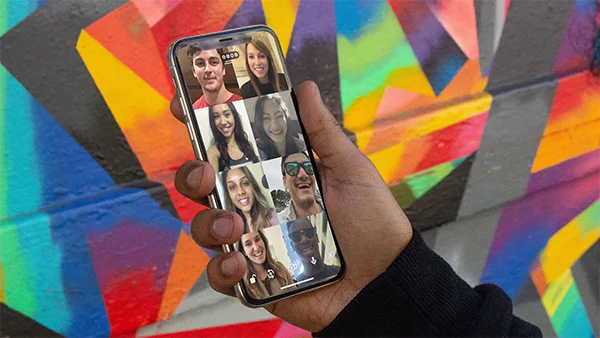
Group video chatting is no longer a substitute for “real life”. It’s an important part of it. By selecting the right platform and following safe practices, you can make sure your digital time with friends and family is as meaningful and secure as possible.
Group video chatting has transformed from an unrealistic concept into an essential for a modern social life. Whether you are catching up with your parents via WhatsApp or exploring new features on platforms like Ome TV and Vidizzy, the goal stays the same. Human connection.
By choosing a reliable platform, staying mindful of security, and following simple etiquette, virtual hangouts can feel just as warm as an in-person visit.
Ans: The following are the tips to stay secure during video chats:
Ans: The best apps include AI-generated summaries, noise suppression, voice enhancement, co-watching capabilities, and virtual backgrounds.
Ans: These are the ways to always get the best experience while on a group call:
Ans: Open the app, click on the camera icon, copy the link, and invite the people you want to join the call with.



Email at: all4needyinfo@gmail.com